A welding symbol builder that beats CAD blocks
Welding symbols are standardized, so building one should be assembly, not drafting. Drag the elements into place, get a correct symbol, and drop it onto your weld map or document.
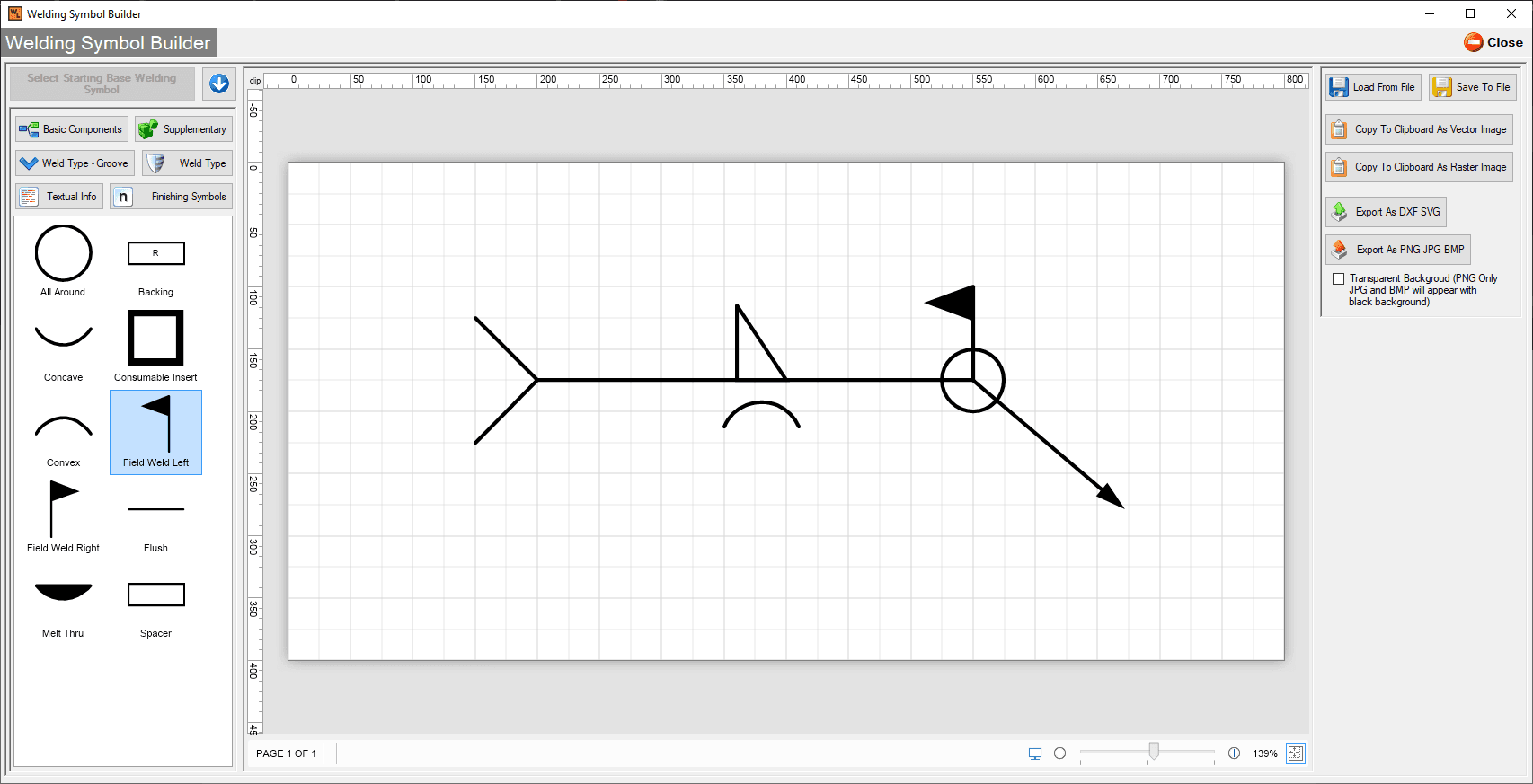
Assemble symbols, don't draw them
Reference line, arrow, weld type, dimensions, tail notes: pick each element and the builder composes a standard symbol. No hand drawing, no hunting through a CAD library for the close-enough block.
- Drag-and-drop assembly of standard symbol elements
- Symbols drop straight onto weld maps and documents
- Consistent output across everyone on the team
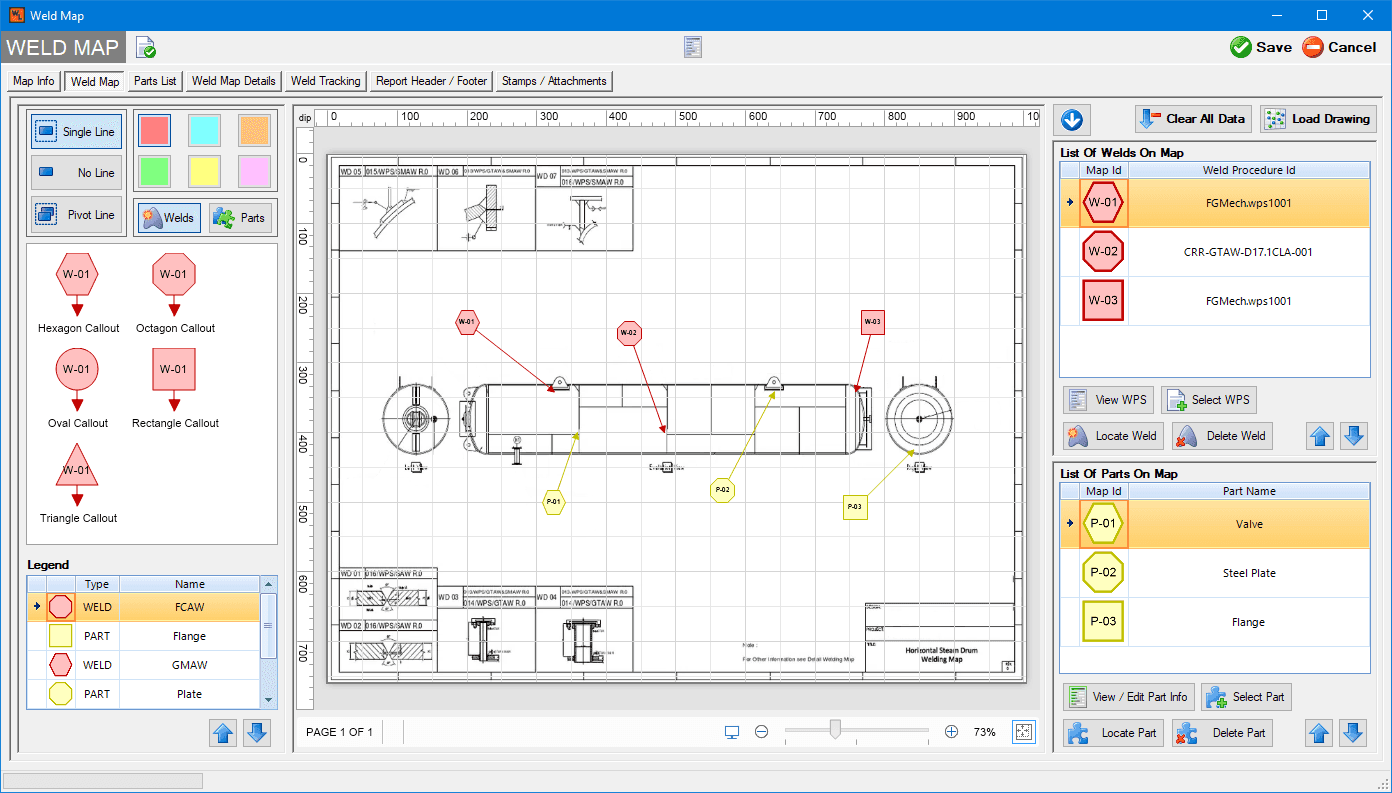
Part of the whole documentation system
The symbol builder lives inside the same system as your WPS forms, weld maps, and welder log, so a symbol is never a loose graphic; it is attached to the weld and the procedure it describes.
- Included with the Enterprise plan
- Works with the weld mapping module
- Stored with the job's records, searchable later
Common questions
Anything not covered here, ask directly. You'll be talking to a CWI software specialist, not a sales rep.
Do I need CAD software to use it?
No. The builder is part of the application; symbols are assembled by drag and drop and placed directly on maps and documents.
Which plan includes the symbol builder?
The drag-and-drop welding symbol builder is part of the Enterprise plan, alongside weld mapping and per-pass tracking.
Can symbols be reused across jobs?
Symbols are stored with the records they describe, and the elements are reassembled in seconds, so repeat joints take almost no time.
Build a correct symbol in seconds
The symbol builder comes with the Enterprise plan, $295 a month.